Subscription Plans
Choose the Lenify subscription plan that fits your development needs and team size.
Subscription Setup Process
The subscription process follows a sequential flow designed to guide you through plan selection to activation:
Step 1: Plan Selection
Choose from our three subscription tiers based on your needs.
Step 2: Subscription Summary
Configure your team size and review plan details.
Step 3: Customer Profile
Add or update your billing information and address.
Step 4: Payment Method
Select or add a payment method for billing.
Step 5: Plan Activation
Complete subscription setup and access your dashboard.
Step 1: Plan Selection
Starter Plan - $10/month or $96/year
Perfect for individual developers getting started with AI-powered development.
Features:
- 1 Project and 1 User
- AI-powered project blueprints and code generation
- Automated error detection and fixing
- Web preview and GitHub integration
- 1GB Storage and 100 AI Credits/month
- Community support
Best For:
- Solo developers
- Learning and experimentation
- Small personal projects
- Getting started with blueprint-driven development
Pro Plan - $20/month or $192/year** ⭐ Most Popular
Designed for professional developers and small development teams.
Features:
- 5 Projects and 5 Users
- All Starter features plus:
- Priority AI processing
- Advanced debugging tools
- 10GB Storage and 1,000 AI Credits/month
- Priority support and team collaboration
Best For:
- Professional developers
- Small development teams
- Multiple active projects
- Client work and production applications
Enterprise Plan - $30/month or $288/year
Built for larger teams and organizations with advanced requirements.
Features:
- Unlimited Projects and Unlimited Teams
- All Pro features plus:
- Advanced AI features and analytics
- Custom integrations and dedicated support
- Custom Storage and Unlimited AI Credits
- 24/7 dedicated support
Best For:
- Large development teams
- Enterprise organizations
- Complex project portfolios
- Mission-critical applications
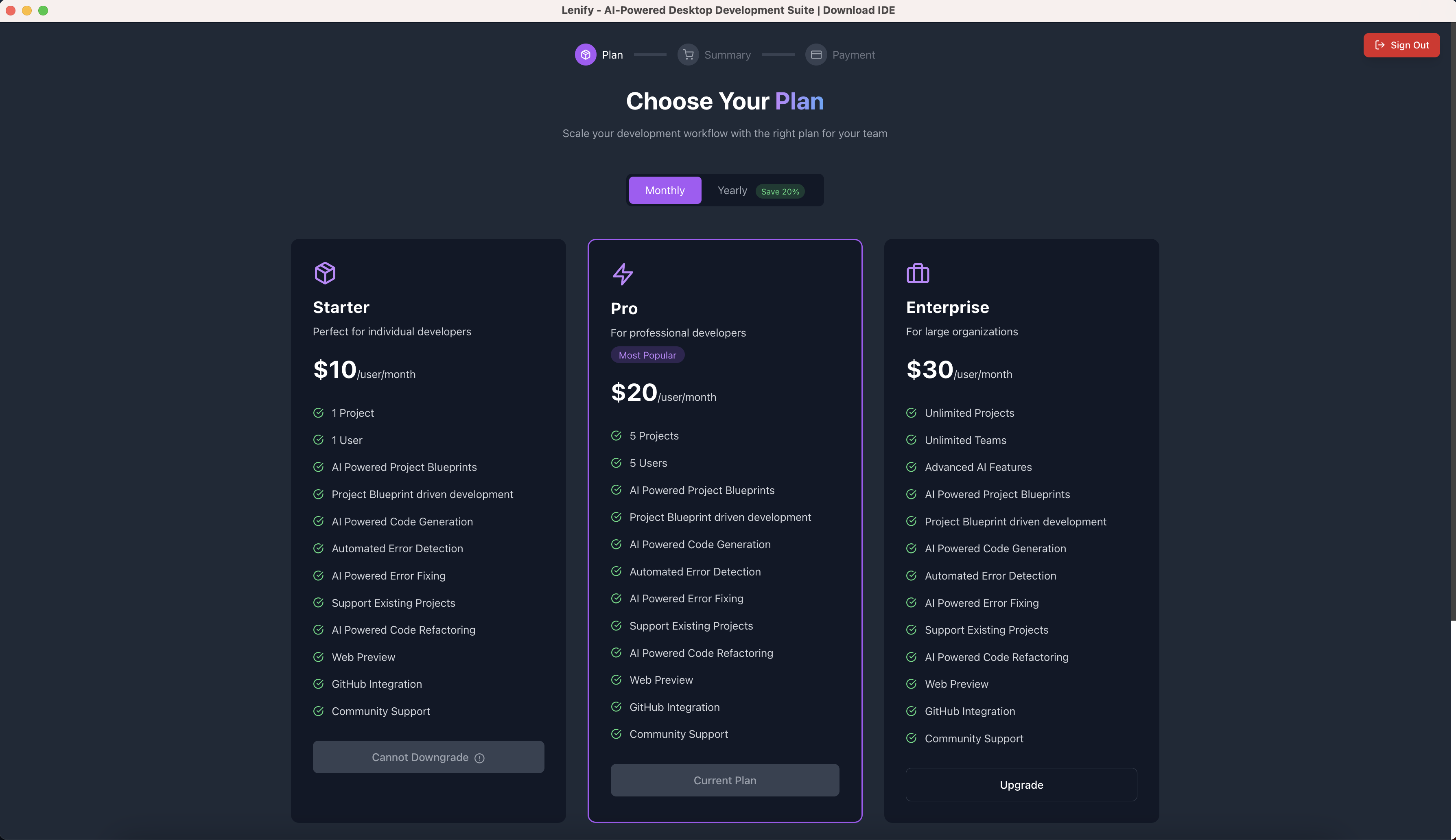 Flexible subscription plans with monthly or yearly billing options (20% savings on yearly plans)
Billing Cycle Options
Monthly Billing:
- Pay month-to-month with full flexibility
- No long-term commitment required
- Standard pricing as listed above
- Cancel or change plans anytime
Yearly Billing:
- Save 20% with annual commitment
- Starter: $96/year (save $24)
- Pro: $192/year (save $48)
- Enterprise: $288/year (save $72)
Action Button
After selecting your preferred plan and billing cycle, click the "Select Plan" button to proceed to Step 2: Subscription Summary.
Step 2: Subscription Summary
Team Configuration
For Pro and Enterprise plans, select your team size:
- Starter Plan: Fixed at 1 user
- Pro Plan: 1-10 users (scalable pricing)
- Enterprise Plan: 1-100 users (scalable pricing)
Pricing Calculation
- Base price per user multiplied by team size
- Automatic calculation of yearly savings
- Display of total monthly/yearly costs
- Preview of plan limits with selected team size
Summary Review
Review your selection before proceeding:
- Selected plan and billing cycle
- Team member count
- Total pricing breakdown
- Plan features and limitations
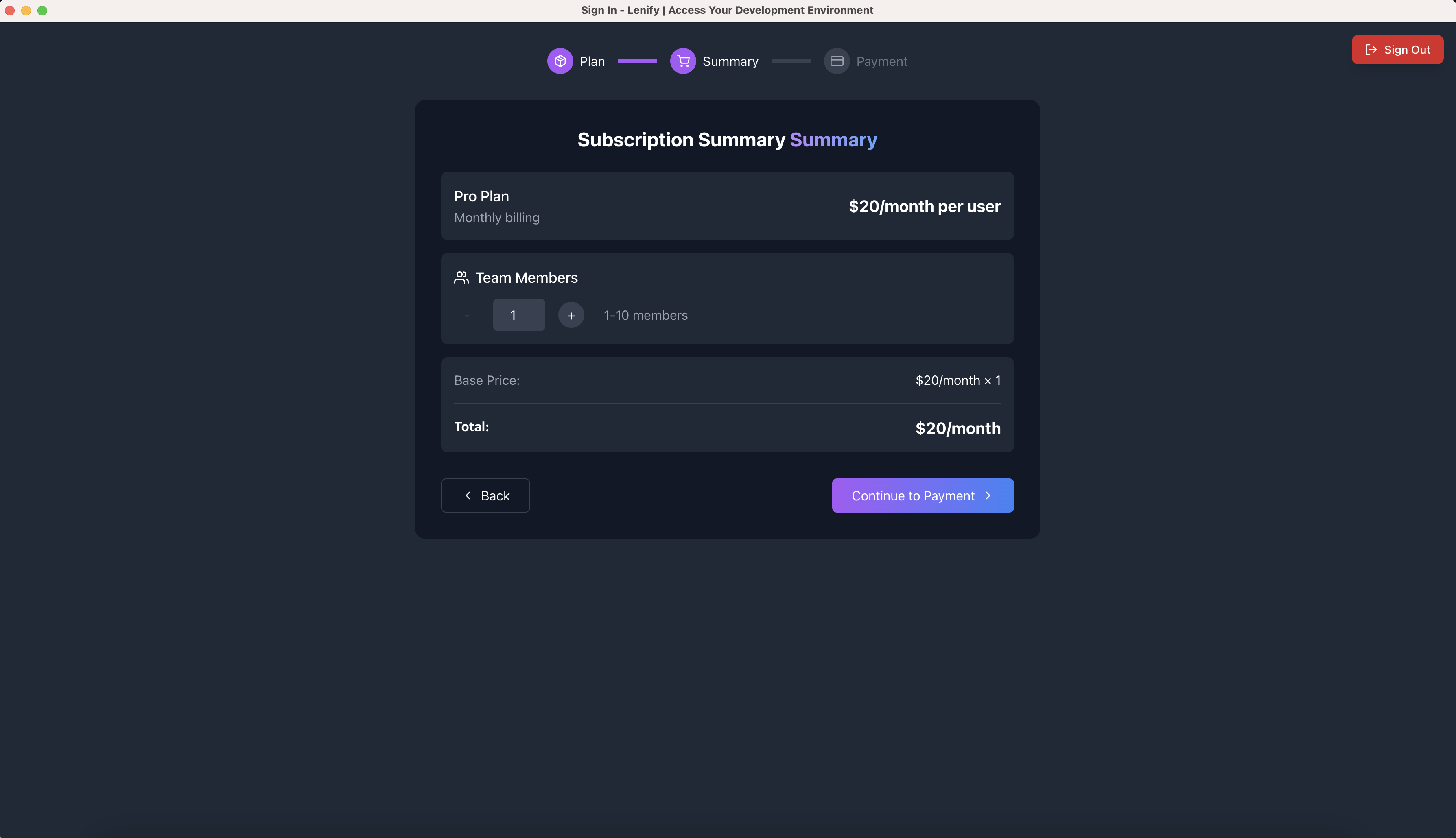 Subscription summary interface showing team size selection and pricing breakdown
Navigation Controls
- Back Button: Returns to Step 1 (Plan Selection) to modify your plan choice
- Continue Button: Proceeds to Step 3 (Customer Profile) with your configured settings
Step 3: Payment Setup
The payment setup process consists of three sub-steps within the payment form:
Sub-Step 1: Customer Profile
Required Information: Complete your billing profile with:
Personal Details:
- Full name for billing
- Email address (pre-filled from account)
- Phone number for account security
Billing Address:
- Street address
- City and state/province
- ZIP/postal code
- Country selection from comprehensive list
Form Features:
- Pre-populate from existing customer data
- Real-time validation with error highlighting
- Secure encryption of personal information
- Required field indicators
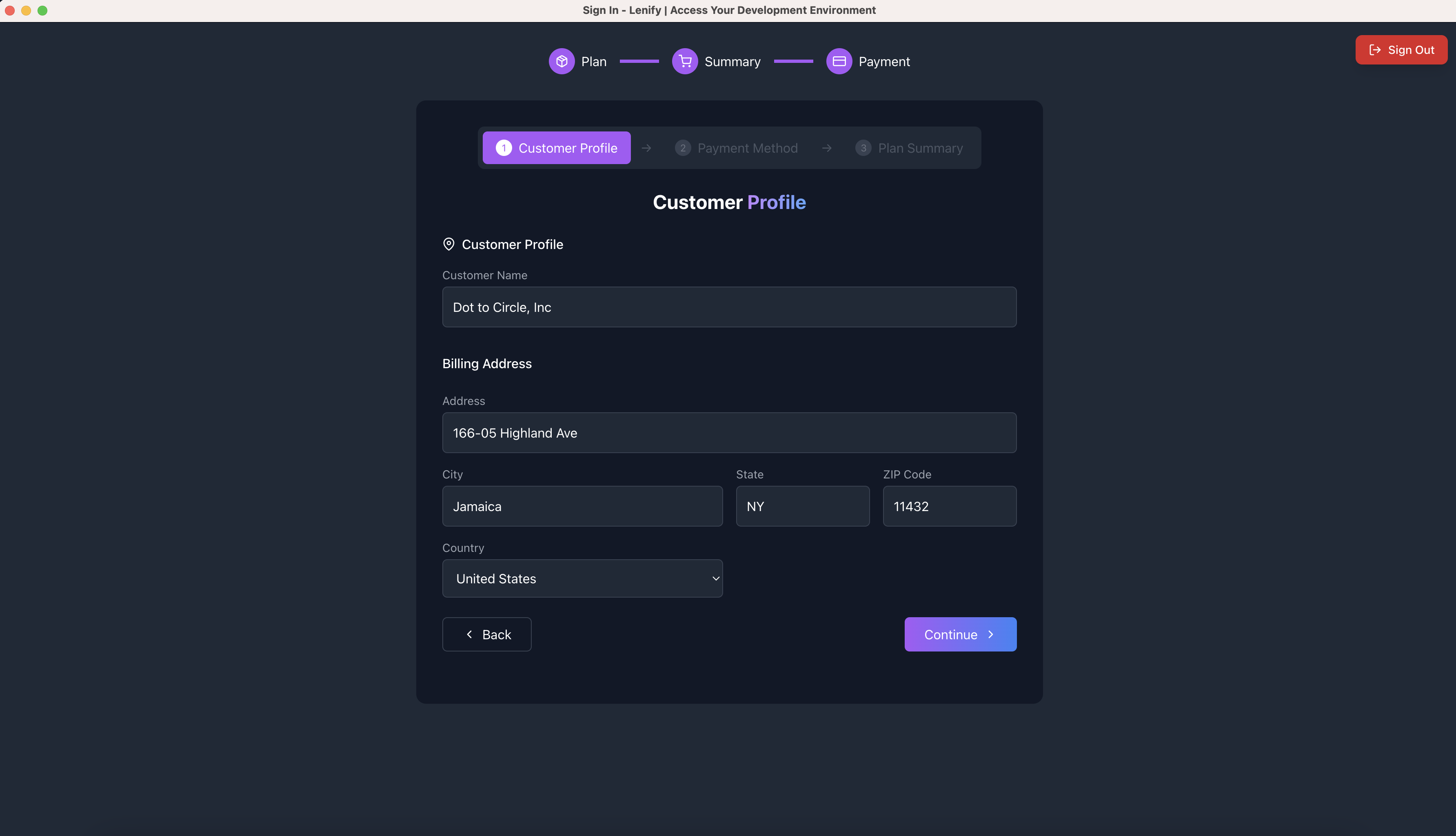 Customer profile form with billing address and contact information fields
Navigation:
- Continue Button: Proceeds to Sub-Step 2 (Payment Method) after form validation
Sub-Step 2: Payment Method
Supported Payment Options:
- Credit and Debit Cards: Visa, MasterCard, American Express
- Secure Processing: Stripe integration with PCI-compliant handling
- Automatic Retry: For failed transactions
- Multiple Methods: Save and manage multiple payment methods
Payment Security Features:
- SSL encrypted transactions
- PCI-DSS compliance
- No local storage of payment data
- Fraud detection and prevention
- Real-time payment validation
Existing Payment Methods:
- Select from previously saved payment methods
- Add new payment method option
- Set default payment method
- Update or remove existing methods
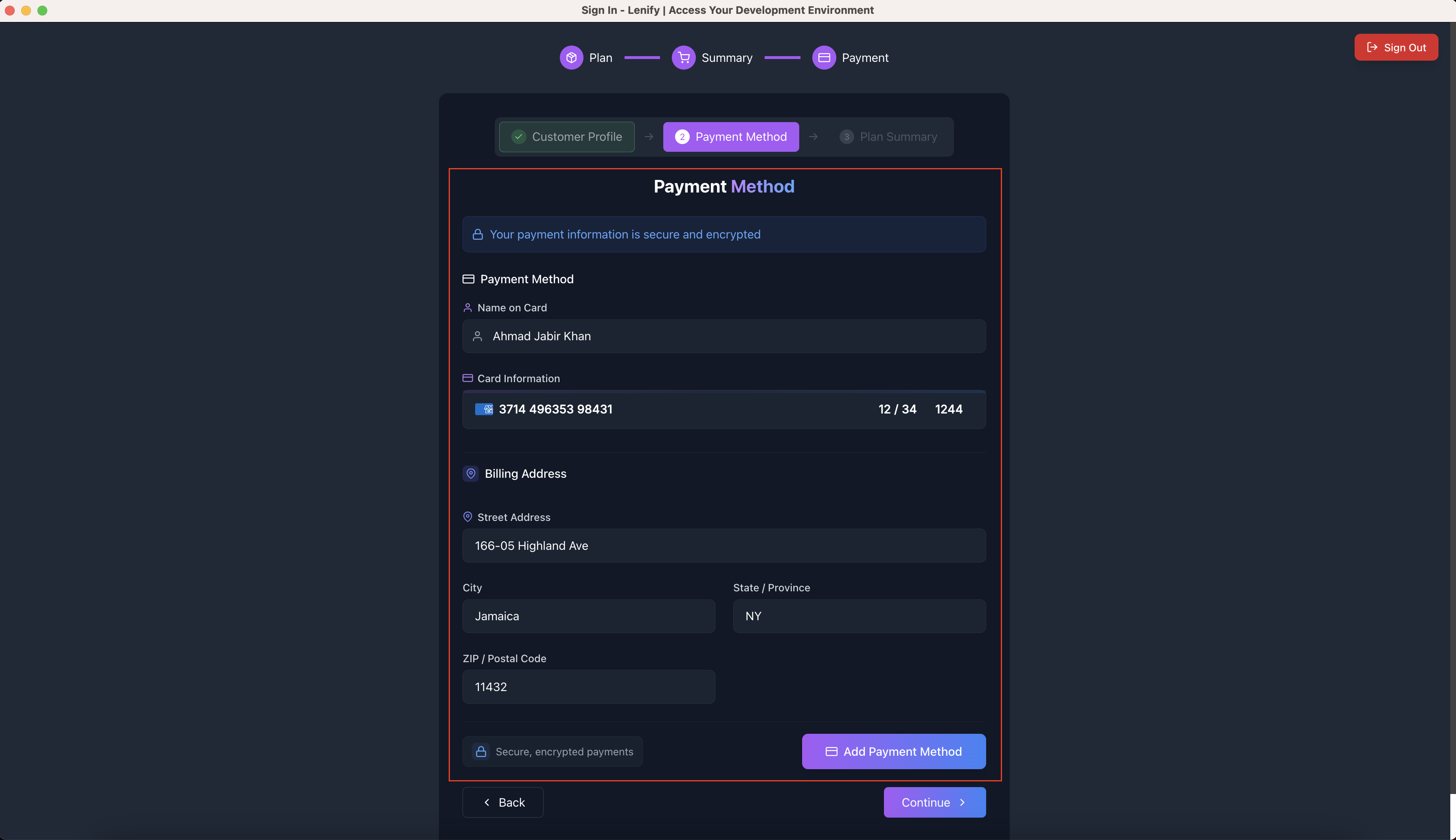 Secure payment form with credit card information and billing verification
Navigation:
- Back Button: Returns to Sub-Step 1 (Customer Profile)
- Continue Button: Proceeds to Sub-Step 3 (Plan Summary) after payment method selection
Sub-Step 3: Plan Summary & Completion
Final Review:
- Order Summary: Complete breakdown of selected plan, team size, and pricing
- Billing Details: Confirmation of billing cycle (monthly/yearly)
- Member Count: Final team size confirmation
- Total Amount: Final pricing with any applicable discounts
- Yearly Savings: Display of annual savings if yearly billing selected
Subscription Completion: Click the Subscribe button (or Upgrade Plan for existing users) to:
- Process Payment: Secure payment processing through Stripe
- Immediate Activation: Subscription activates instantly upon successful payment
- Dashboard Redirect: Automatic redirect to your development dashboard
- Feature Unlock: All plan features become immediately available
- Team Access: Ability to invite team members (Pro/Enterprise plans)
Final Action Button:
- Subscribe - $[Amount]/[Period]: Completes the subscription process
- Back Button: Returns to Sub-Step 2 (Payment Method) for modifications
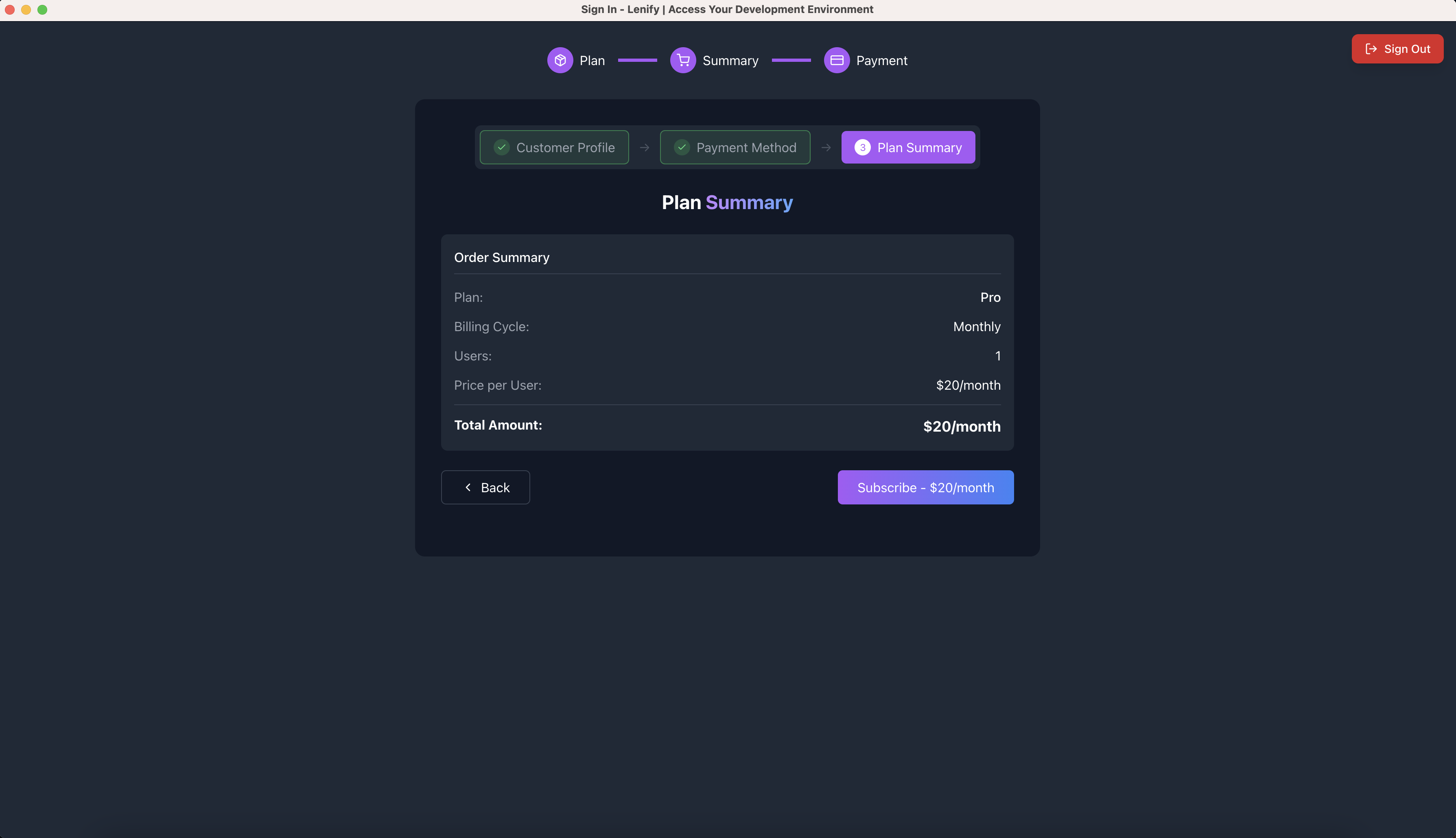 Plan summary and completion screen with final pricing breakdown and subscription button
Step 4: Post-Subscription
Immediate Access
Upon successful subscription completion:
Dashboard Access:
- Automatic redirect to personalized dashboard
- Full access to development platform
- Real-time usage tracking begins
- All plan features immediately available
Next Steps:
- Set up your first project
- Invite team members (Pro/Enterprise)
- Configure project settings
- Begin AI-powered development workflow
Plan Comparison
| Feature | Starter | Pro | Enterprise |
|---|---|---|---|
| Projects | 1 | 5 | Unlimited |
| Users | 1 | 5 | Unlimited |
| Team Features | ❌ | ✅ | ✅ |
| Advanced Analytics | ❌ | ❌ | ✅ |
| Custom Integrations | ❌ | ❌ | ✅ |
Subscription Management
Account Management Features
Billing Control:
- View current subscription and usage
- Change plans (upgrade/downgrade) anytime
- Cancel subscription without penalties
- Access billing history and invoices
Plan Changes:
- Upgrading: Immediate access to new features with prorated billing
- Downgrading: Changes take effect at next billing cycle
- Team Scaling: Add or remove team members as needed
Usage Monitoring
- Real-time tracking of projects and storage
- AI credit consumption analytics
- Team member activity (Pro/Enterprise)
- Resource usage forecasting
Subscription Flow Summary
The complete subscription process follows this navigation flow:
✅ Step 1: Plan Selection → "Select Plan" → Step 2
✅ Step 2: Subscription Summary → "Back" | "Continue" → Step 1 | Step 3
✅ Step 3: Payment Setup
- Sub-Step 1: Customer Profile → "Continue" → Sub-Step 2
- Sub-Step 2: Payment Method → "Back" | "Continue" → Sub-Step 1 | Sub-Step 3
- Sub-Step 3: Plan Summary → "Back" | "Subscribe" → Sub-Step 2 | Dashboard
✅ Step 4: Dashboard Access - Complete!
Next Steps
Once your subscription is active:
✅ Plan Selected - Subscription tier configured with navigation controls
✅ Team Configured - Member count set with pricing calculation
✅ Profile Complete - Billing information validated through multi-step form
✅ Payment Active - Secure payment method selected and verified
✅ Dashboard Ready - Automatic redirect to development workspace
Continue to Billing Setup for ongoing billing management, or proceed to Dashboard Overview to begin using Lenify.